
Facilities Inventory: Adding a new org code
Last updated: September 13, 2024
To add a new KFS org to a room, search for a room, click on the row describing the room, and under the "Room Details" tab, use the "Add" button shown in Figure 1 below.
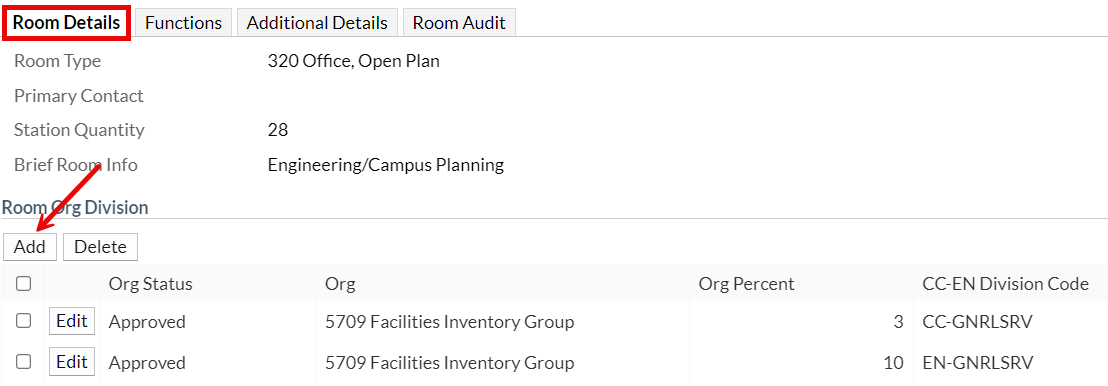
Figure 1. Under the "Room Details" tab, click "Add" to add a new org.