What is ParkMobile and how does it work?
How ParkMobile Works
- You'll need to register for a ParkMobile account. You will need your license plate number and a method of payment (credit card or PayPal).
- When you park in a space, use the ParkMobile app to enter your zone number.
- Opt-in to have a reminder text 15 minutes before your parking transaction expires; you can add time to extend your parking.
If you don't see a ParkMobile sign, it might not be a short-term option. Parking there could result in a citation.
Can I Move Zone-to-Zone?
- No. Your parking transaction is for a specific ParkMobile zone number.
- If you move to another zone, you will have to pay again.
Can I reserve spaces or prepay?
You cannot reserve a parking space; you should be parked in the space before you begin your parking transaction; all transactions are real-time.
If you want to reserve parking and print a dashboard parking permit instead of using the pay-by-cell service, you can create a parking reservation via the Visit Cornell website.
How do parking officers knows I've paid?
When you key in the zone number at the start of your parking session, ParkMobile’s system recognizes your cell phone number, connects it to your license plate, and activates your parking in that specific zone. The Cornell University parking officer verifies your parking session by matching the license plate to the zone number.
What if I don't have a smartphone?
Call the toll-free number posted on the ParkMobile sign.
What ParkMobile doesn't do
Enforce parking lots; accept or process citation appeals; issue refunds.
Where can I park using ParkMobile?
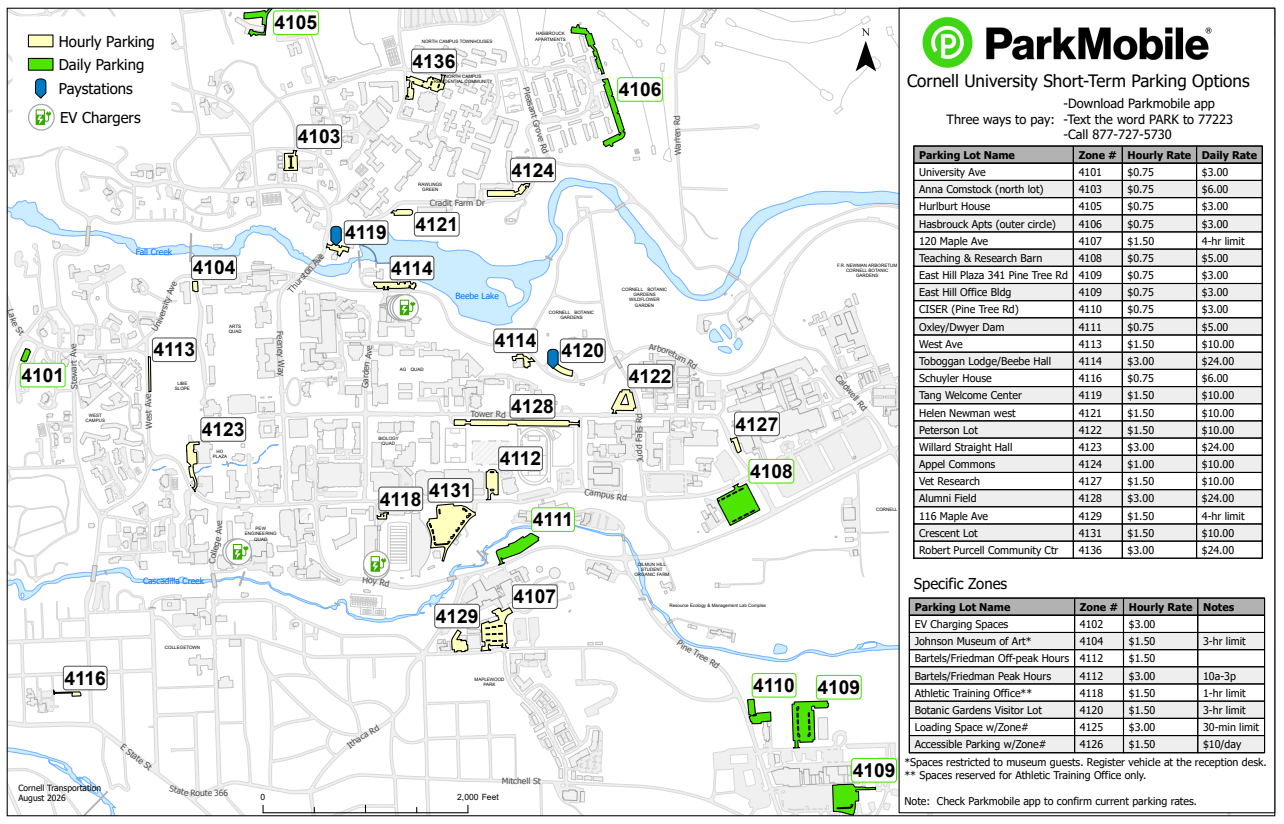
Look for green ParkMobile signs in designated parking lots or spaces on campus. Parking Map
How much does parking cost?
Cost
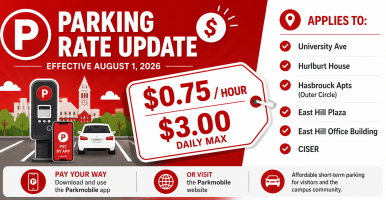
Hourly and daily rates vary by lot; all transactions are charged a $.45 convenience fee. Parking Map
Reminder Text
- There is no additional charge for a reminder text (unless your cell provider charges for text messages).
- Note: you will be charged a $.45 convenience fee if you choose to pay to extend your parking transaction.
Transaction Receipts
You can go online to your ParkMobile personal page anytime to make changes to your account, review parking charges, print parking transactions and receipts, or export data to another format. Payments are usually posted the same day.
How long can I park and can I extend my time?
It depends on the parking restrictions of the lot. Your parking transaction will continue until you have reached the maximum time limit for which you have paid, just like a meter.
Parking can be purchased by the hour for up to eight hours, or by the day. In most lots, a parking day expires at 7:30 A.M.; the exception is B lot, which follows a 24-hour day. Parking can also be purchased for multiple days in most locations.
Parking cannot be purchased for less than 1 hour; the exception being loading areas (Zone 4125) that have a 30-minute limit.
When is payment required (weekends, holidays, and after hours)?
- Resident parking areas (signed FH, ND, SW, WD) are restricted to permit holders or ParkMobile payment parking 24/7.
In most commuter lots, payment (or the appropriate permit) is required Monday – Friday, 7:30 A.M. – 5:00 P.M., throughout the year, including holidays and breaks. Be sure to check the posted regulation as you enter the lot, as some are restricted to permit holders on evenings and weekends.
What should I do if I have a citation, charge dispute, or refund question?
Citation
- Citations issued by Transportation Services can be paid and appealed online.
- If you paid for parking via ParkMobile, you can obtain a receipt for your parking transaction from your ParkMobile account.
- Other than supplying confirmation of payment, ParkMobile can not help resolve a parking dispute.
Charge Dispute
- Contact ParkMobile right away; give them the details and they will help you resolve the problem.
- Transportation Services cannot resolve charge disputes.
Refunds
- ParkMobile does not issue refunds for parking transactions.
- Transportation Services cannot issue refunds for ParkMobile transactions.
How is Daily Decision parking different?
Daily Decision zones on the campus edges offer deeply discounted rates, while those closer to the center cost slightly more. These zones are open to everyone and supplement other short-term ParkMobile and pay station options. High-demand lots charge more for their prime location and convenience.
How much does daily parking cost?
- Please follow all posted signs—some zones have time limits or special requirements. Parking Map
- A $0.45 ParkMobile fee applies to each transaction, in addition to standard hourly or daily rates.
Will prices change?
Daily Decision rates may go up or down based on occupancy, demand, and other factors. Any changes will be announced in advance on this page and posted at zone entrances.
Is Daily Decision only for faculty and staff?
Daily Decision zones are open to everyone on a first-come, first-served basis.
Can I use my annual permit in a Daily Decision lot?
Often, yes. Many zones accept both permits and ParkMobile payment. Always check the posted restrictions at the lot entrance.